
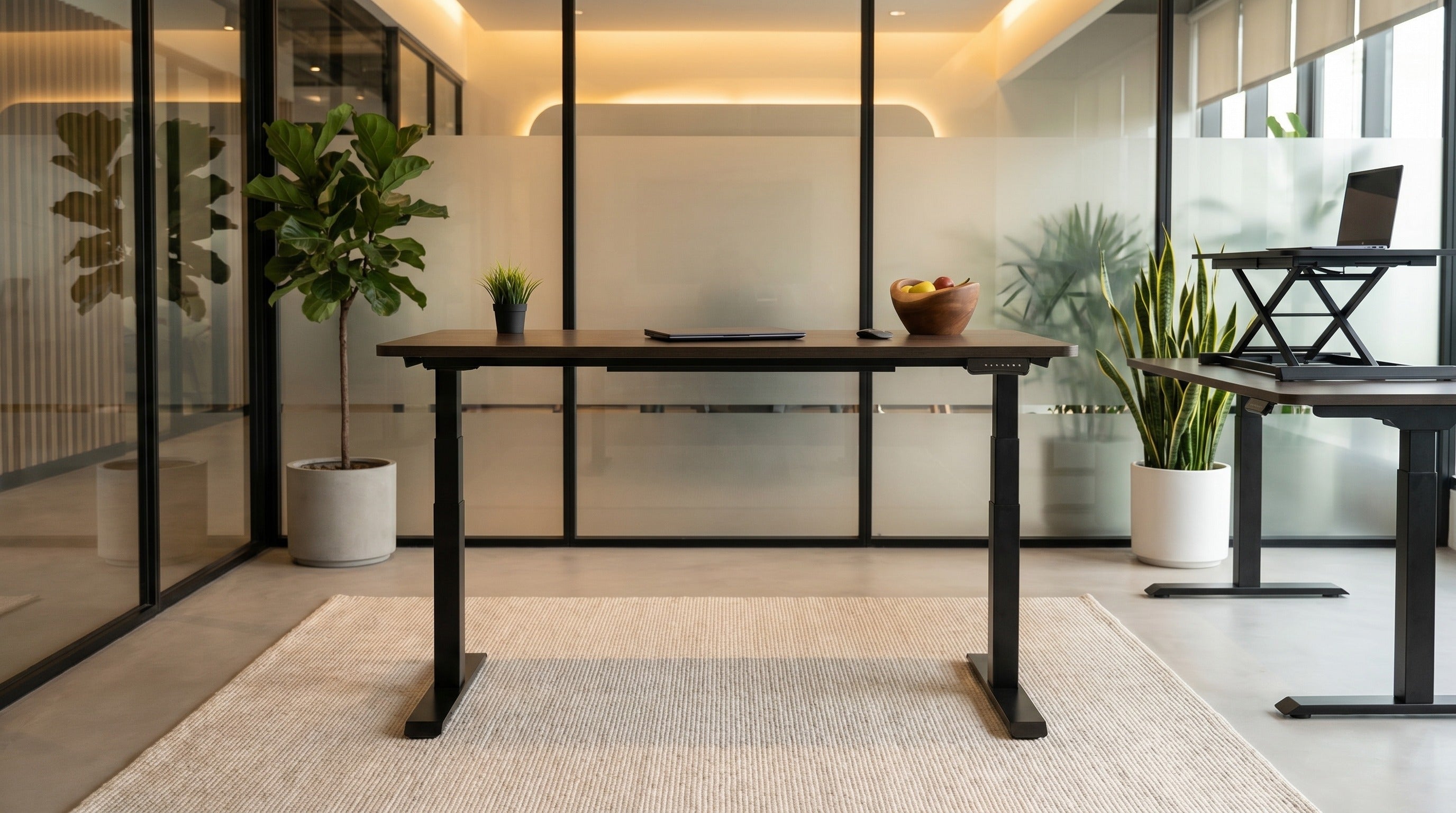
Sit-stand desk — is it worth it? A science-based guide
The sit-stand desk has become one of the most in-demand office investments in Europe over the past five years. Market prices vary widely. The question every buyer asks is simple: is the price difference worth it? In this article we answer without a sales filter, based on three sources: scientific research, our 800+ free trials at Slovenian companies, and practical experience furnishing large projects like NLB d.d. (1,200 workstations).
What exactly is a sit-stand desk and how does it work?
A sit-stand desk is an office desk with an electric or manual mechanism that allows the surface height to be adjusted between approximately 65 cm (seated position) and 125 cm (standing position). During the day you switch positions — sit for part of the day, stand for part of the day — which reduces static load on the body.
Modern sit-stand desks use electric motors that raise the surface quietly and stably. The Heka CoreLift sit-stand desk runs on dual motors and electronic memory for preferred heights, so you can recall your sitting or standing position with one click.
What does research say about the health impact of sit-stand desks?
The umbrella review on the effectiveness of sit-stand desks was published in 2018 by Cochrane Collaboration — the world's most respected institution for meta-analyses of medical research. It reviewed 20 studies with more than 2,100 participants. The main finding was cautious: sit-stand desks statistically significantly reduce sitting time (by 84 minutes a day on average), but there is no clear evidence that this directly prevents back disease or cardiovascular disease in studies shorter than 12 months.
A longer study was published in the British Medical Journal (BMJ) in 2020: it followed 49,000 adults for 8 years and showed that more than 10 hours of sitting per day is associated with 34% higher mortality compared with those who sit less than 6 hours — independent of physical activity outside work. This means evening exercise does not offset static sitting throughout the day.
Bottom line from the science: a sit-stand desk is not a miracle tool, but it is the most practical way to reduce total sitting time for people working at a computer.
How does a sit-stand desk affect lower back pain?
The most robust evidence exists for reducing acute lower back pain. A Stanford University study (2017) divided 53 office workers into two groups: the control group worked at fixed desks, the experimental group at sit-stand desks. After three months, the experimental group reported 54% less lower back pain and 32% less neck pain.
An important caveat: the positive effect appeared only in those who actually changed positions (at least 4 times a day). For users who left the desk constantly in one position (sitting or standing), pain occurred just as often as in the control group.
This is key: a sit-stand desk is not the solution, it is a tool for the solution. The solution is changing positions. If the desk stays in your office in the standing position for three years because you tried it enthusiastically the first month and then stopped typing at it, you haven't gained any health benefit.
What is the optimal sit-stand ratio?
The most cited recommendation comes from research by the Cornell University ergonomics group and the British Journal of Sports Medicine (2015). An expert panel recommended the following ratio for an 8-hour workday:
- Sitting: 4-6 hours a day (cumulative)
- Standing: 2-4 hours a day (cumulative)
- Position change: every 30-45 minutes
- Short breaks: 1-2 minute "walking breaks" every 60 minutes
The expert panel explicitly warned that standing all day is not the goal. Prolonged standing (more than 4 hours a day) leads to other problems: foot pain, lower-back fatigue, varicose veins. Dosing is key.
What are the most common arguments against a sit-stand desk?
Several arguments against sit-stand desks deserve a serious answer:
- "I won't use it." Honest objection. Around 30% of trial users use the desk in standing mode less than 1 hour per day after the first month. Those people get no benefit from the investment.
- "Standing tires me out more than sitting." Correct, in the first 2-3 weeks. After the adaptation period most users report more, not less, energy in the standing position compared with sitting.
- "My feet hurt when standing." A real issue if you stand on a hard floor without an anti-fatigue mat. A pair of comfortable shoes and an anti-fatigue mat under the desk are essential accessories.
- Quick position changes are impractical for team work. When working with others (meetings, side conversations) where you often rest your arm on the desk, switching positions is a distraction, not a help.
Who actually benefits from a sit-stand desk?
Based on our 800+ free trials at companies and individuals, the sit-stand desk pays off most for the following profiles:
- Individuals with chronic lower back or neck pain whose physiotherapist recommends position changes
- Tall people (over 185 cm), who often have improper screen and keyboard placement at fixed desks
- Programmers, designers, analysts and others who work 8+ hours a day mostly independently
- Call centres and customer service teams (documented productivity gains)
- Companies investing in employee wellness programmes as a signal of health investment (lower turnover, fewer sick days)
A sit-stand desk makes less sense for:
- Receptionists and admin staff who already stand during the day due to the nature of the work
- Workstations using multiple screens, paperwork and printers simultaneously, which physically limits position changes
- Conference and meeting rooms (reserve for workstations)
What's the difference between a quality and a poor sit-stand desk?
The price range for sit-stand desks is wide. The difference between the cheapest and a professional desk is typically a few hundred euros, which shows up in four dimensions:
- Motor. The motor quality and frame stability are crucial, and become most apparent after years of use. Budget desks are often loud and lose precision after a few years.
- Stability. A good desk does not wobble in the standing position when you type. Cheap desks have noticeable vibrations, which is disturbing for screen work.
- Memory positions. Professional desks remember preferred heights and reach them with one click. With cheaper desks, every change requires manual repositioning.
- Warranty and service. The Heka CoreLift is manufactured in Slovenia with local service. With online purchases the warranty is often limited and the claims procedure complicated.
With sit-stand desks the rule is: cheap is twice as expensive. It is smarter to wait a few months and buy quality than to buy cheap immediately and replace after two years.
Which chair pairs well with a sit-stand desk?
This is an often-forgotten question. When you transition between sitting and standing positions, the chair has to withstand frequent getting up, sitting down and moving around. Standard office chairs are not always built for this — after two years of intensive use at a sit-stand desk the mechanism wears out faster.
At Heka Interior we recommend pairing sit-stand desks with ergonomic office chairs with a robust mechanism. The Aria and Logic models have an ergonomically shaped backrest and adjustable parameters, enabling comfortable sitting even after many hours of work.
For proper chair and screen setup, read our guide on how to adjust an office chair in 7 steps.
How much does the Heka CoreLift sit-stand desk cost?
The Heka CoreLift is available from EUR 573.40 incl. VAT up to EUR 953.40 incl. VAT, depending on the choice of dimensions, tabletop colour and base colour. It is available in 162 different combinations:
- 3 base colours: white, gray, black
- 6 tabletop colours: chipboard white, chipboard black, chipboard gray, chipboard oak, oak veneer, solid oak
- 9 tabletop sizes: from 120×80 to 200×80 cm
Every desk includes a dual motor and electronic memory for height adjustment with preferred positions. For the exact price for your configuration, see the CoreLift product page or send an inquiry.
Do you offer a free trial of the sit-stand desk?
Yes. As with chairs, we offer a free 7-day trial of the CoreLift sit-stand desk in your office or at home. We deliver and set up the desk; you use it for 7 days in your real conditions. After that you decide whether to keep it or return it at no cost.
To request a trial, send an inquiry via the free trial page or call +386 (0)1 361 90 28. When you call, tell us what desk you currently have (dimensions, fixed/sit-stand), which surface size you need, and where the office is located — we'll prepare the most suitable option for your trial.
Conclusion: is a sit-stand desk worth it?
The honest answer: it's worth it if you'll actually use it. Scientific evidence for health benefits exists, but is dependent on regular position changes. The price difference compared with a fixed desk is repaid within a few years if it reduces sick leave or boosts energy in the second half of the day.
The most honest recommendation: try it for 7 days in your office before deciding. After seven days you'll know whether you'd use it — or whether it would sit permanently in the seated position after three weeks.
For further reading we recommend: Active sitting vs. a classic office chair, How to properly adjust an office chair in 7 steps, and 7 reasons we designed CoreLift.
Frequently asked questions about sit-stand desks
Does a sit-stand desk replace an office chair?
No. A sit-stand desk and an ergonomic chair are complementary. Even with 3 hours of standing per day, you'll still sit for 5 hours, and that has to be in a proper chair.
How long should I stand at a sit-stand desk?
Start with 10-15 minutes per hour and build up to 25-30 minutes per hour. More than 4 hours of standing per day is not recommended — foot and lower-back pain will appear.
Is a sit-stand desk noisy?
Quality motors operate quietly, suitable for open-space offices. Budget desks are often noticeably louder, which can be disruptive in shared spaces.
Can I work standing with a laptop on a sit-stand desk?
In principle yes, but for prolonged work an external keyboard + mouse + laptop stand is essential so the screen is at eye level. Otherwise you stand with your head tilted down, which loads the neck.
Is a sit-stand desk worth it for a child's school work?
For children up to 12 a properly adjusted fixed desk with a suitable ergonomic chair is more appropriate (Heka model Betty or Danny). For teenagers (13+) a sit-stand desk is a good investment, but the focus should be on proper screen placement and distance to the eyes.



Share:
How to adjust an office chair in 7 steps
Heka children's chairs for studying at home: which model to choose