
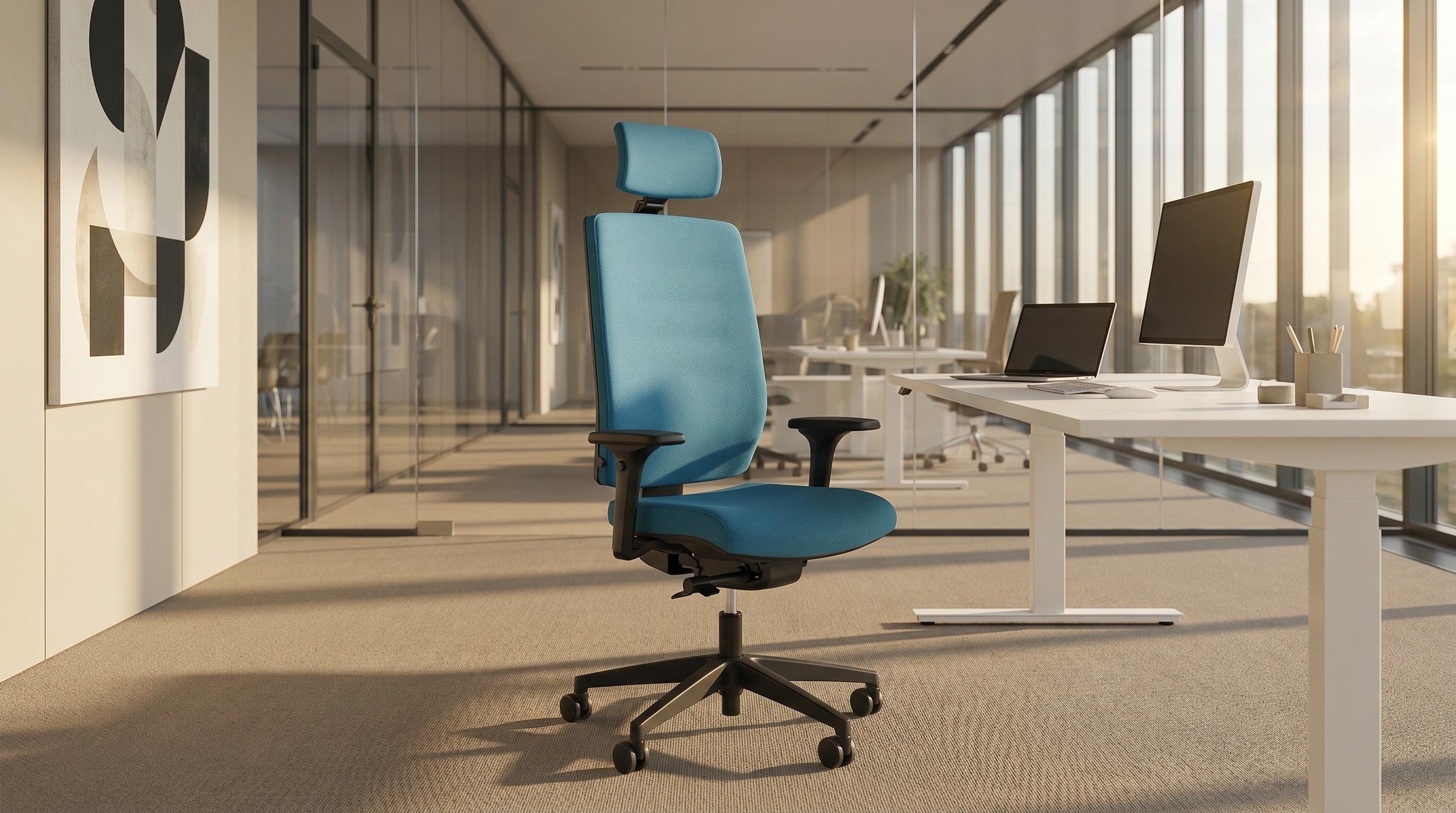
How to properly adjust an office chair in 7 steps
A bad office chair is expensive. An expensive office chair that is set up incorrectly is even more expensive. At Heka Interior, in 40+ years of furnishing offices across Slovenia and Europe, we have observed the same pattern: most people sit in high-quality chairs that are not adjusted to their body. The result is pain in the lower back, shoulders and neck — pain that could be avoided in five minutes. This guide is those five minutes.
What is the 90/90/90 rule for sitting at a computer?
The 90/90/90 rule is the simplest test of correct posture at a computer. It means that three key joints in your body must be at an angle of approximately 90 degrees: knees, hips and elbows. When at least one of these angles is below or above 90 degrees by more than 15°, the body begins to compensate, which causes pain after a few hours.
This rule wasn't developed by Heka. It is a standard used by physiotherapists, ergonomists and office furniture manufacturers around the world. It is important to understand that 90/90/90 is a starting point — not the only correct position. The body is made for movement, so the ideal is to change positions throughout the day in addition to keeping a correct baseline.
How to correctly set the seat height of an office chair?
The correct seat height is the one where your feet are flat on the floor and your knees are at an angle of approximately 90 degrees. This means that your thigh bones are parallel to the floor or slightly tilted downward toward the knees (5-10°).
For most adults the correct seat height is between 40 and 52 cm. A quality office chair must have a sufficient adjustment range. Heka ergonomic chairs such as Aria, Logic and Air have an adjustment range that covers most adult users. The exact range is stated on the product page.
Quick test: sit at your desk in your normal screen and keyboard setup. If you feel pressure under your knees (seat too low) or your feet don't touch the floor (seat too high), the setting is wrong. For people shorter than 160 cm, a footrest is often required.
What is the correct seat depth of an office chair?
Seat depth is the distance from the backrest to the front edge of the seat. The correct depth is the one where you have 3-5 cm of space (the width of two to three fingers) between your knees and the front edge of the seat when your back is fully against the backrest.
If the seat is too deep, you'll sit on the front edge and not use the backrest — this is the most common reason for poor office posture. If the seat is too short, pressure will be concentrated on the back of the thigh bones, which causes numbness after two hours.
Heka ergonomic chairs have adjustable seat depth, which allows adaptation for both tall and shorter users. On executive and conference chairs the depth is usually fixed, so when choosing a chair category it is important to consider the user type.
How to adjust the lumbar support on an office chair?
The lumbar support is a bulge in the lower part of the backrest that supports the natural curve of your lower back (lumbar region). The correct position is at the level of the navel, or 2-3 cm above the waist. When you lean back you should feel a slight pressure in your lower back — not pain, but a warm sense of support.
Quality ergonomic chairs have lumbar support adjustable in several dimensions: height (move it up/down to match your lumbar curve) and depth (push it forward for more pressure or back for less). The exact adjustment options are listed on the product page of each Heka model.
The most common mistake is turning the lumbar support off entirely. People who have lower back pain often move it down or disable it because it feels "hard". In reality, slight pressure in the lumbar region is exactly what prevents your back muscles from relaxing into a poor posture.
How to adjust the armrests on an office chair?
Armrests have one job: to take the weight of your arms off your shoulders. The correct height is the one where your shoulders are relaxed (not raised) and your elbows are at approximately 90° when your arms rest on the armrests.
When working with a keyboard and mouse, the armrests must be at the same level as the top surface of the desk or slightly lower (up to 2 cm). If they are too high, you won't use them — you'll sit under them. If they are too low, you'll lean on your elbows and raise your shoulders.
For Heka chairs used more than 6 hours a day we recommend models with armrests adjustable in multiple dimensions, available on Aria, Logic and Clever Evo. For conference and visitor chairs, fixed or simply adjustable armrests are sufficient.
How to adjust the backrest and recline mechanism?
Modern ergonomic office chairs have a synchronous mechanism that allows controlled backrest tilt. When set up correctly the backrest tilts in sync with the seat (usually in a 2:1 or 3:1 ratio), which means the hips stay properly anchored as you lean back.
Adjust the recline tension to your body weight via the rotary knob under the seat. Lighter users (up to 60 kg) need a softer resistance, heavier users (90+ kg) a firmer one. Test: when you lean back without pulling, the backrest should follow your back rather than "throwing" you back. If you feel like you're falling, the resistance is too soft. If you have to push for the recline to engage, it's too firm.
For intensive office use we recommend the recline stays unlocked during the day. Active movement while seated (micro-movements) is proven to be better for the back than a static posture, even when that static posture is "correct". Read more about this approach in the article Active sitting vs. a classic office chair.
How to adjust the headrest?
The headrest on an office chair is not for resting on while typing. Its job is to support the neck during breaks — when you lean back for five minutes, take a phone call, or pause to think. The correct height is at the level of the lower part of the back of the head (not the nape where the hair begins).
The headrest on an ergonomic chair must be adjustable in height and tilt angle. Heka models with a headrest (Aria, Logic, Veyron) allow adjustment for different users — the exact adjustment range is listed on the product page of each model.
If you do a lot of video calls, a headrest is almost essential. In an eight-hour workday, the only real opportunity to rest your neck muscles is during video pauses and reading breaks.
How to position the screen relative to the office chair?
Once the chair is adjusted, the next step is screen positioning. A correctly positioned screen is one where:
- The top of the screen is at eye level or slightly lower (up to 5 cm below the eyes)
- The distance from your eyes to the screen is 50-70 cm (about the length of an outstretched arm)
- The screen is tilted 10-20° back (the middle of the screen is slightly tilted away from you)
- The keyboard is directly in front of the screen (not to the side), the mouse next to it
When using a sit-stand desk the same rule applies in the standing position as well. With laptops, prolonged work requires an external keyboard and mouse plus a laptop stand, otherwise proper ergonomics is impossible.
What are the most common chair-setup mistakes?
At Heka Interior we have visited more than 800 companies and individuals through our free 7-day chair trials. These are the mistakes we see most often:
- Seat too low — the user's knee is noticeably above hip level, which loads the lower back
- Backrest locked — we often find chairs with the backrest tilt locked in a vertical position, preventing active movement during the day
- Armrests too high — when typing, shoulders are inadvertently raised because the armrests are set too high
- Lumbar support ignored — the chair allows lumbar support but it is inactive or moved outside the spinal curve
- Seat depth not adjusted — the user sits on the front edge of the seat because it is too deep for their build
The good news is that most of these mistakes can be fixed in 5 minutes, without a new chair — if your existing chair has the necessary adjustment options. The bad news is that most budget chairs don't have these options, so the fix is impossible.
When to replace an office chair instead of adjusting it?
If your chair does not have at least adjustable seat height, adjustable seat depth, adjustable lumbar support and adjustable armrests, an ergonomic adjustment is not possible. A chair is furniture, not a tool. A device anchored in fixed dimensions cannot be properly adjusted to your build.
The differentiator in an ergonomic chair is not price but the number of independent adjustments. A professional ergonomic chair has several independent adjustments (seat, depth, armrests, lumbar support, synchronous mechanism). A generic "big-box store" office chair usually has only two or three. The difference in long-term health impact is measurable within six months.
Heka ergonomic chairs are designed in line with European ergonomic standards and offer multiple independent adjustments, which allows adaptation to different body builds without compromising ergonomics.
Try a chair in your office for 7 days, free of charge
The best way to check whether a chair suits you is not a catalogue. It is sitting. At Heka Interior we offer a free 7-day trial: we send a chair with all adjustment options to your office or home, you use it in your real conditions. After seven days you decide. No obligations, no delivery costs.
Send a request via the free trial page or call +386 (0)1 361 90 28. When you call, tell us your approximate budget and type of work (administrative, IT, creative, mixed) — we'll prepare a selection of 2-3 models that fit your profile.
Conclusion: a correctly adjusted budget chair beats a misadjusted expensive one
Ergonomics is not a matter of price. It is a matter of adjustment. The most expensive chair on the market that doesn't fit your build is worse for your back than an average chair adjusted using the 7 steps in this guide. Before buying a new chair, check what your existing chair allows. After buying a new chair, take 5 minutes to set it up — it is the best-spent time of your work career.
For further reading we recommend: Mesh, fabric or leather on an office chair, Active sitting vs. a classic office chair and 5 signs your chair is damaging your health.



Share:
Active sitting: what it is and why ergonomists recommend it (2026 guide)
Sit-stand desk — is it worth it? A science-based guide