
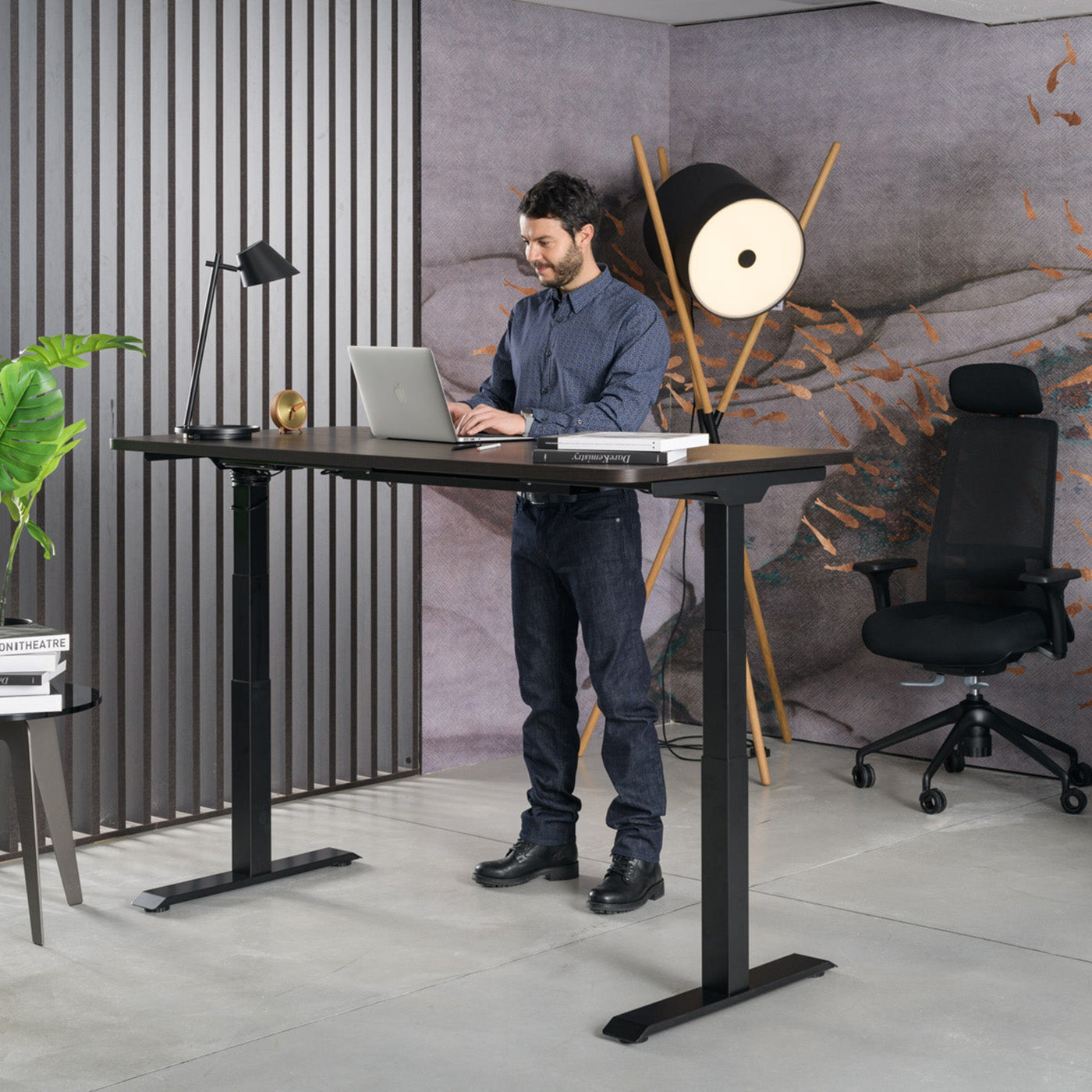
Working while standing at a sit-stand desk is becoming one of the most common approaches to a healthier working day in the office and at home. The idea is not to sit or stand all day, but to regularly change your body position. It is precisely the switching between sitting and standing that relieves the spine, preserves energy and helps you stay focused for longer. In this guide we explain why alternating work works, what sit/stand ratio makes sense, and how to start without unnecessary mistakes.
Why prolonged sitting is a strain
A modern office day often means eight or more hours in the same position. When we sit for a long time without a break, the intervertebral discs are loaded less evenly, while the trunk muscles "switch off" because the body leaves most of the work to the backrest and the chair. The result is often a feeling of stiffness in the lower back, tension in the shoulders and a drop in energy in the afternoon.
It is important to understand that the problem is not sitting itself, but immobility. Even the best chairs for sit-stand desks cannot replace movement if you stay in the same position all day. The goal is therefore variability: the body is made for changing positions, not for one single static posture, whether that is sitting or standing.
How working while standing relieves your spine
When you stand up, the load on the lower back is partly redistributed to the legs and trunk. While standing, the abdominal and back muscles that support correct posture naturally activate, while the pelvis takes a more neutral position. This means that part of the load carried by the lumbar spine during prolonged sitting is taken over by larger muscle groups.
Here it is worth emphasising realistic expectations. A sit-stand desk does not cure back pain and is not a medical device. It can, however, help you relieve your spine throughout the day, because it lets you change position regularly and move more. Many users describe feeling less stiffness at the end of the day, which is often the result of the simple fact that they were not in the same position all day.
Energy and focus throughout the day
The second reason people switch to working while standing is the afternoon drop in energy. Longer periods of sitting are often accompanied by a feeling of dullness and harder concentration. When you stand up, blood flow increases, the body is more active, and the transition to a standing position acts as a natural micro-break that interrupts the monotony.
In practice this shows up especially with tasks that need a short burst of energy: phone calls, short meetings, going through email or brainstorming. Many people prefer to stand during these activities, and return to sitting for deep work that requires sustained focus. This flexibility is exactly where the main advantage of a sit-stand desk lies: you adapt your working position to the type of task.
Recommended sitting and standing ratio
The most common question is how long a person should stand. Overdoing it in either direction is not helpful. Standing all day is not the goal, since prolonged standing strains the legs and lower back in a different way. It makes sense to switch in shorter intervals.
A good starting framework is changing position every 30 to 60 minutes. The table below shows how you can gradually increase the share of standing as your body gets used to it.
| Phase | Sitting | Standing | Practical tip |
|---|---|---|---|
| Week 1 (introduction) | 50 min | 10 min | Stand up at every natural break (call, coffee) |
| Weeks 2-3 | 45 min | 15 min | Stand during routine tasks |
| Established habit | 30-40 min | 20-30 min | Switch every hour, move in between |
The numbers are indicative, not a rule. More than an exact percentage, what matters is that switching becomes a regular habit and that you listen to your body. If you feel tiredness in your legs, sit down; if you are getting stiff from sitting, stand up.
Electric or manual sit-stand desk
When choosing a desk you will come across two basic designs: electric and manual. Both allow you to work while standing, but they differ in ease of use and price. The following table summarises the key differences.
| Feature | Electric sit-stand desk | Manual sit-stand desk |
|---|---|---|
| Height adjustment | With a button, in a few seconds | With a crank, takes longer |
| Frequency of switching | Encourages frequent switching | Switching is rarer due to the effort |
| Height memory | Often available | Not available |
| Price | Higher (from about 400 EUR upwards) | Lower |
| Best for | Daily alternating work | Occasional change of position |
For everyday alternating work, most people choose the electric version, since a low effort threshold means you will actually change position. With a manual desk there is a risk that you stay in one position all day because of the effort involved. You will find a detailed overview of the selection criteria in the guide how to choose a sit-stand desk. You can view the full range in our sit-stand desks collection, and for fixed work surfaces we also offer classic desks.
How to start correctly
The transition to alternating work is easiest if you introduce it gradually. Start with shorter periods of standing and extend them as you get used to it. Keep a few basic settings in mind:
- Desk height: when you stand, your elbows should be at roughly a right angle, wrists relaxed, and the screen at eye level.
- Screen position: the top edge of the screen should be at eye level or slightly below it, so that your neck stays in a neutral position.
- Footwear and surface: comfortable footwear or an anti-fatigue mat make longer standing easier.
- Movement: use the standing period to shift your weight gently from one leg to the other and to do short stretches.
- Chair: when you sit down, it should support you well. Read about correct posture in the guide how to sit correctly at a computer.
Sit-stand work works best paired with a good chair. During the sitting part of the day, a quality chair for sit-stand desks should relieve you, supporting correct posture and taking the load off your spine. That way you cover both positions, not just one.
Frequently asked questions
How long should I stand at a sit-stand desk each day?
It makes sense to start with about 10 minutes of standing per hour and gradually increase the share. The goal is not to stand all day, but to regularly change position between sitting and standing, for example every 30 to 60 minutes.
Will a sit-stand desk get rid of back pain?
A sit-stand desk is not a medical device and does not cure pain. It can, however, help relieve the spine, because it allows regular changes of position and more movement throughout the day. With existing problems, consult a specialist.
Is it better to choose an electric or a manual sit-stand desk?
For everyday alternating work, an electric desk is generally better, because quick and easy adjustment encourages more frequent changes of position. The manual version is more affordable and suitable for occasional switching.
What height should I set the desk to when standing?
When standing at the desk, your elbows should be at roughly a right angle, wrists relaxed and aligned with the surface, and the top edge of the screen at eye level or slightly below it. That way your neck and shoulders stay in a neutral position.
How much does a sit-stand desk cost?
Prices vary depending on the design and size. Electric sit-stand desks are available from about 400 EUR upwards, while manual versions are generally more affordable. Check the exact price for each individual model.
Can I try a sit-stand desk before buying?
Yes. At Heka we offer a 7-day free trial, so you can find out in your own working environment whether alternating work suits you before you decide to buy.
Try it risk-free
The easiest way to find out whether working while standing suits you is to try it in your own space. Choose a desk from our sit-stand desks collection and try it free for 7 days. All desks are made in Slovenia, with our own production in Medvode, delivery and installation included, and a 3-year warranty. That way you decide on alternating work based on your own experience, not just a description.


Share:
Correct sitting at a computer: a setup guide
Correct sitting at a computer: a setup guide