
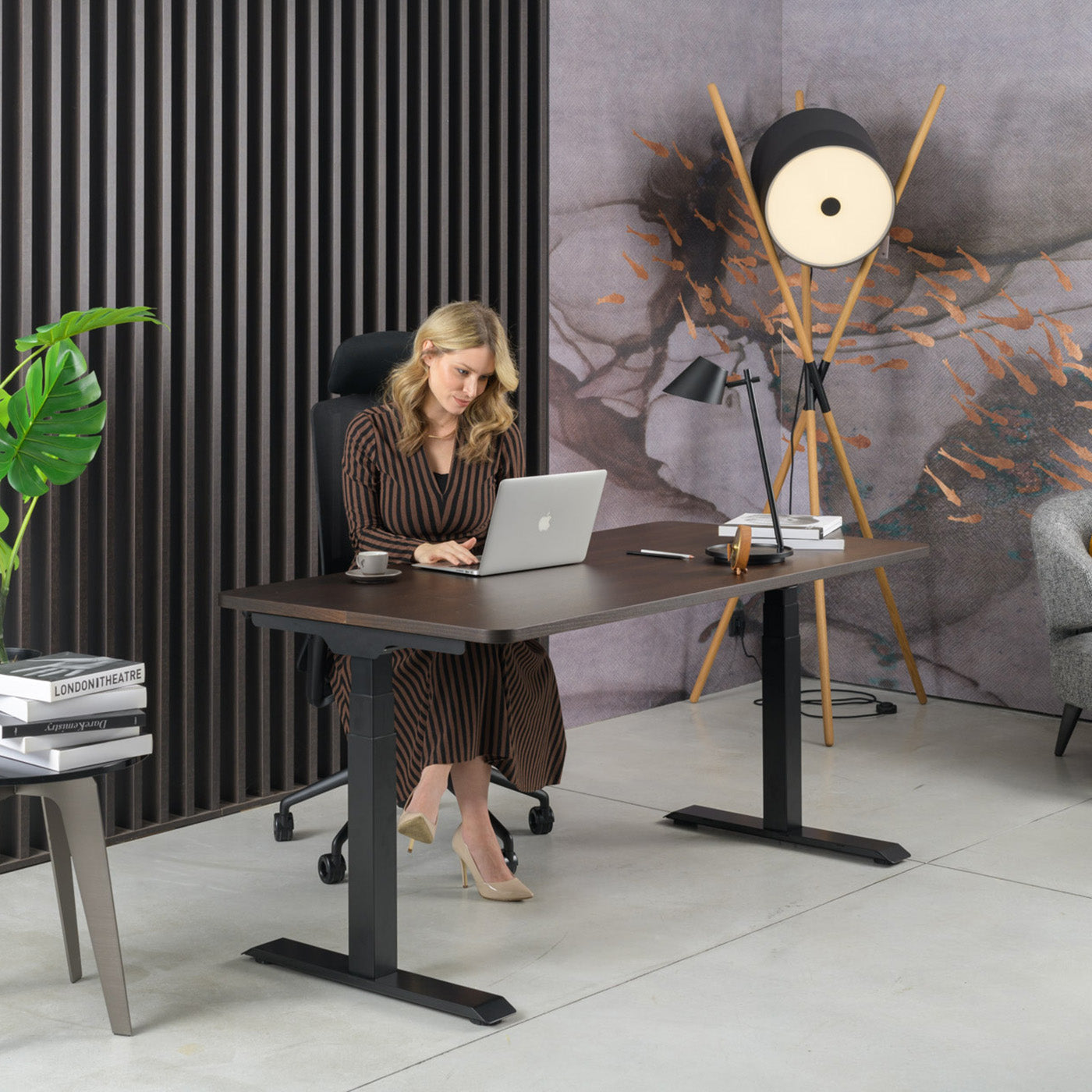
Correct sitting at a computer is a skill you can learn, and equipment that makes it possible. If you spend eight hours a day in front of a screen, every centimetre of a poorly adjusted chair, desk or monitor will eventually strain your neck, shoulders and lower back. The good news is that with a few minutes of adjustment and the right equipment, you can significantly relieve your spine and support a natural, upright posture. In this guide we go step by step through the entire workstation, from the chair to the position of your legs, and explain what to look out for before investing in new equipment.
Why correct posture matters
The human body is not designed to stay still in one position for hours on end. When we slouch, the weight of the upper body shifts onto the spinal discs and the muscles of the lower back, instead of being carried evenly by the spine. The consequences are familiar to anyone who works at a desk: tension in the neck, tired eyes, tingling in the hands and a heavy afternoon. The goal of an ergonomic setup is not a "perfect" posture held all day, but a neutral, relaxed position from which you can move frequently. Correct sitting at a computer therefore always combines three things: a well-adjusted chair, a desk at the right height, and a screen at the right distance and height.
Chair setup: the foundation of correct posture
The chair is the centre of the workstation, so we start with it. A quality ergonomic chair should have an adjustable seat height, lumbar support, adjustable armrests and a tilt mechanism that follows the movement of the body. When adjusting, follow this order:
- Seat height: your feet should rest on the floor and your knees should be at an angle of roughly 90 to 100 degrees. Your thighs should be parallel to the floor or tilted slightly downwards.
- Seat depth: leave two to three fingers of space between the back of your knees and the edge of the seat, so that circulation in your legs is not reduced.
- Lumbar support: position it in the area of the natural curve of your lower back, just above the waist, to support correct posture and relieve the lumbar region.
- Armrests: adjust them so that your shoulders stay relaxed and your elbows are at an angle of around 90 degrees, without raising your shoulders.
- Backrest tilt: a slight dynamic rocking is welcome, as it changes the load and encourages movement.
If you are looking for the basis of a healthy workstation, take a look at our range of ergonomic office chairs, which allow all of the adjustments listed above. For those who like to move while working, active ergonomic chairs are also worth considering, as they encourage small micro-movements of the torso and thereby activate the deep stabilising muscles. You will find a detailed overview of what to look out for when buying in the guide how to choose an office chair.
Desk and screen: the height that protects your neck
Once the chair is set up, adjust the desk and monitor to it, not the other way around. The work surface should be at a height where your forearms are horizontal and your wrists are straight while typing. If the desk is not adjustable and your feet dangle, use a footrest.
Position the screen so that the top edge of the monitor is at eye level or slightly below it, about an arm's length away. Your gaze should fall slightly downwards, which relieves the neck muscles. If you work on a laptop, raise it on a stand and connect a separate keyboard and mouse, otherwise you will inevitably look down and hunch your neck.
The best way to maintain a healthy posture throughout the day is to alternate between sitting and standing. A height-adjustable desk lets you raise the work surface in a few seconds and do part of your workday standing. To learn more about how to choose the right one, read the guide how to choose a height-adjustable desk, and you will find the full range among our height-adjustable desks.
Electric or manual height-adjustable desk
When choosing a height-adjustable desk, most people decide between electric and manual (mechanical) adjustment. The table below compares the two approaches to help you assess what suits your way of working and your budget.
| Feature | Electric height-adjustable desk | Manual height-adjustable desk |
|---|---|---|
| Speed of changing height | A few seconds, press of a button | Slower, manual cranking |
| Frequency of changes per day | Suitable for frequent switching | More for occasional changes |
| Height memory | Often available | No |
| Maintenance | Requires a power connection | No electricity, fewer components |
| Indicative price | From a roughly higher price range | From a roughly lower price range |
If you intend to change position several times a day, an electric desk pays off in the long run, because it removes the excuse "I don't have time to adjust it". The manual version makes sense when you will change the height only occasionally.
Arm and leg position
Once the chair and desk are aligned, it is the limbs' turn. The correct position of your arms and legs is the one that allows your muscles to relax rather than stay constantly tense.
- Elbows: by your sides, at an angle of around 90 degrees. The keyboard should be close enough that you do not reach forward.
- Wrists: straight and neutral, not bent up or down. While typing, they should not rest on a sharp edge of the desk.
- Shoulders: relaxed and lowered, not raised towards your ears.
- Hips: pushed all the way to the back of the seat, so that the lumbar support works correctly.
- Feet: fully on the floor or on a footrest, never hanging in the air.
The mouse should be at the same height as the keyboard and as close to your body as possible, so that you do not move your shoulder out to the side. Small irregularities add up over time, so it is worth spending a few minutes on the correct placement of accessories as well.
Breaks and movement: the best posture is the next posture
Even the best-adjusted workstation is no substitute for movement. Muscles and joints need a change of load, so the rule is that the best posture is always the next posture. The following guidelines are useful:
- The 20-20-20 rule: every 20 minutes, look for 20 seconds at a point about 6 metres away to relieve your eyes.
- Short movements every 30 to 60 minutes: stand up, stretch, take a few steps or switch from sitting to standing.
- Micro-movements while working: slightly change the tilt of the backrest, move your shoulders and wrists.
- Hydration as a trigger for movement: a glass of water within reach naturally encourages you to get up more often.
It is precisely this alternation between sitting and standing that is the reason why the combination of a good chair and a height-adjustable desk works better than any single solution.
Home office ergonomics
At home we often work on a kitchen chair or a sofa, which is acceptable for occasional use but not for daily work. If you have a permanent workstation at home, it deserves the same attention as one in the office. When setting up your home office, keep the following in mind:
- Choose a chair with lumbar support and adjustable height instead of improvised solutions.
- Place the screen away from the window to avoid glare and reflections.
- Ensure sufficient lighting, ideally a combination of natural and directed desk light.
- Separate your work area from your relaxation space, so that your body and mind can switch out of work mode more easily.
Even in a limited space you can put together a healthy workstation; the key lies in the right chair and a desk at the right height, not in expensive accessories.
Frequently asked questions
How high should the seat of the chair be for correct sitting?
Adjust the seat so that your feet are fully on the floor and your knees are at an angle of roughly 90 to 100 degrees. Your thighs should be parallel to the floor or tilted slightly downwards. If the desk does not allow you to sit that low, use a footrest so that your legs are not left dangling.
At what height should the monitor be?
The top edge of the screen should be at eye level or slightly below it, about an arm's length away. This way your gaze falls slightly downwards, which relieves the neck muscles. When working on a laptop, raise it on a stand and add a separate keyboard and mouse.
Is standing at the computer better than sitting?
Neither one nor the other is ideal on its own. It is best to alternate between sitting and standing throughout the day, which a height-adjustable desk makes possible. Standing relieves the lower back and encourages movement, but standing for too long is also tiring, so balance and frequent changes of position are key.
How often should I take breaks while working at the computer?
It is recommended that every 30 to 60 minutes you stand up for a short while, stretch or change position, and every 20 minutes look into the distance for a few seconds to relieve your eyes. Even short movements significantly reduce muscle tension.
Does an ergonomic chair eliminate back pain?
A quality ergonomic chair supports correct posture and relieves the spine, which helps reduce the strain that arises from prolonged sitting. The chair itself is not a cure; you achieve the best results in combination with a correct desk and monitor setup and regular movement. For persistent pain, consult a specialist.
Which is more important, a good chair or a height-adjustable desk?
If you have to choose one first, a good ergonomic chair is the foundation, since you spend the most time on it. A height-adjustable desk is an excellent upgrade, because it allows you to alternate between sitting and standing. The ideal workstation combines both elements, aligned at the right height.
Start with a free 7-day trial
The easiest way to check whether a chair really suits you is to try it in your own environment. At Heka Interior we offer a 7-day free trial, a 3-year warranty and a made-to-measure product, all with our own production in Slovenia. Choose your model from our ergonomic office chairs and try it at home or in the office, with no obligation. Our team will also help you with the correct setup, so that you sit healthily from day one.



Share:
Working While Standing and the Sit-Stand Desk: Benefits for Your Spine
Working While Standing and the Sit-Stand Desk: Benefits for Your Spine