
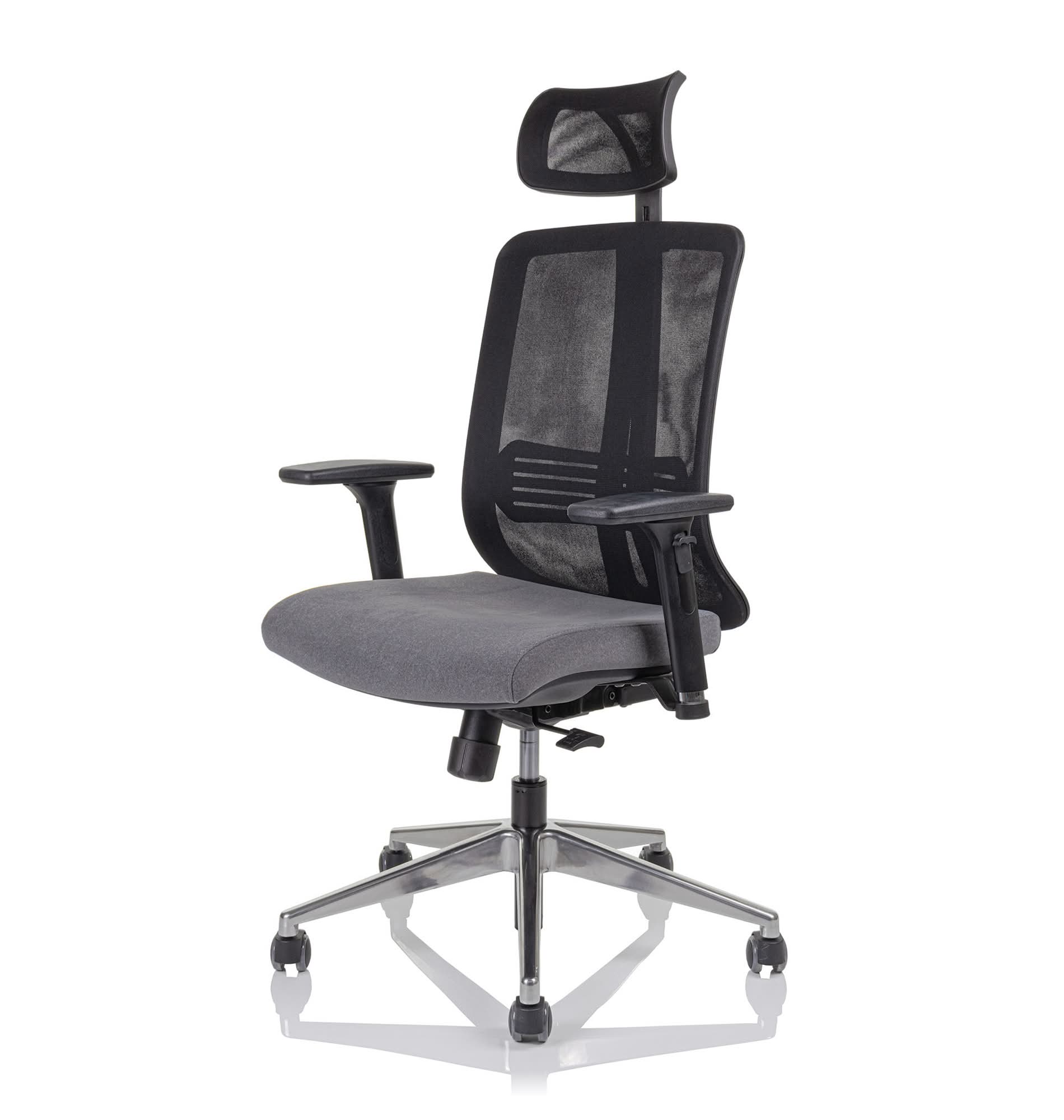
The right office chair for back pain cannot replace a doctor or physiotherapist, but it can significantly relieve your lower back and support good posture during long hours at the computer. When you spend eight or more hours a day sitting, every detail counts: the shape of the backrest, the quality of the lumbar support, the range of adjustments and whether the chair lets you move at all while seated. In this guide we explain what really affects spinal comfort in a chair, which adjustments are essential and when it is time to consult a specialist.
Why sitting strains the spine
Prolonged sitting is not inherently "bad", but it is static. When we stay in the same posture for a long time, the load on the intervertebral discs and the muscles along the spine is not distributed evenly. We often slump unconsciously, the pelvis tilts backwards and the lower back loses its natural curve. The result is extra tension in the lower back and shoulders.
A good office chair does not "fix" this for you, but it makes it easier to stay in a posture that relieves the spine. It helps maintain the natural lumbar curve, supports the pelvis in a neutral position and encourages you to change position as you work. That is exactly why two features matter more than all the others: quality lumbar support and the option of dynamic sitting.
Lumbar support: the heart of a good chair
The lumbar support is the part of the backrest that supports the lower back, that is, the lower-back area. Its job is to fill the gap between the lumbar spine and the backrest and thus maintain the natural curve, rather than letting it flatten out or even bend inwards.
When choosing, pay attention to three things:
- Adjustable support height – because everyone has a different build, the support must move up and down to fit your lower back precisely.
- Adjustable depth or pressure – better chairs let you control how firmly the support presses against your back.
- Backrest type – mesh backrests flex to adapt to your back and breathe well, while upholstered ones give some people a firmer, more guided feeling of support.
At Heka you will find a wide range of models with adjustable lumbar support in the ergonomic office chairs category, where you can compare different types of backrests and mechanisms.
Dynamic sitting: movement is key
Even the best chair will not relieve you if you sit completely still all day. Dynamic sitting means the chair lets you and encourages you to slightly change your position as you work, lean forwards and backwards and redistribute your weight. This keeps the muscles along the spine active and stops the load from constantly building up in the same place.
The chair's mechanism is responsible for dynamic sitting. The most common is the synchronous mechanism, in which the backrest and seat tilt in a coordinated way but in a different ratio, so the spine stays supported even when you lean back. The tension adjustment of the backrest relative to your body weight is also important, so the backrest is neither too firm nor too loose.
If you want to encourage movement while sitting even more, also take a look at active ergonomic chairs, which are designed for more active, dynamic sitting and constant micro-movement of the pelvis.
Which adjustments really matter
A chair is only good if you know how to set it up correctly for your body and your workstation. Below are the adjustments that have the biggest impact on relieving the back, ranked by importance.
- Seat height – your feet should be flat on the floor and your knees roughly at a right angle. Your thighs are parallel to the floor or angled slightly downwards.
- Seat depth – leave a few fingers of space between the back of your knees and the edge of the seat, so the seat does not press on the veins behind the knee.
- Lumbar support height and pressure – the support should follow the natural curve of the lower back.
- Backrest tension adjustment – matched to your body weight.
- Armrests – adjustable in height (and ideally width) so your shoulders are relaxed and your elbows supported.
Read more about setting up your workstation and posture correctly in the guide How to sit correctly at the computer.
Upholstered or mesh backrest
A common dilemma when choosing a chair for a sore back is the type of backrest. Both have their advantages; there is no "best" one in absolute terms, but there is one that is best for you and your way of working. The comparison below helps you decide.
| Feature | Mesh backrest | Upholstered backrest |
|---|---|---|
| Feel of support | Flexible, adapts to the back | Firmer, more guided |
| Breathability | Very good, less sweating | Depends on the fabric |
| Suitability for longer sitting | Excellent for the office and a warm room | Excellent if you prefer a softer contact |
| Comfort feel | Lighter, airy | Warmer, more "enveloping" feel |
Whatever the backrest type, what matters more is that the chair has quality, adjustable lumbar support and a good mechanism. The best approach is simply to try both types in practice and feel which one suits you better.
Electric vs manual chair adjustment
On office chairs, the vast majority of adjustments are mechanical (manual), since you set them once on delivery and then only adjust them occasionally. Below we compare when manual adjustment is sufficient and when it is worth considering more advanced, motorised solutions at the workstation.
| Aspect | Manual adjustment | Electric / motorised |
|---|---|---|
| Where it is usually used | Office chairs (mechanism, levers) | Mainly sit-stand desks, some premium accessories |
| Frequency of adjustment | One-time setup + occasional | Frequent changes during the day |
| Price | More affordable | Higher |
| Maintenance | Minimal | More components |
For relieving the back, the most effective combination is a good chair and the option to work standing for part of the day. If you frequently change position, consider an ergonomic workstation with an ergonomic chair and a sit-stand desk that makes switching between sitting and standing easy.
Special needs: greater weight and taller build
Standard chairs are dimensioned for an average build. If you are taller, heavier or the chair is used by several people, it makes sense to choose a model with a higher load capacity, a wider seat and a sturdier mechanism. Such a chair maintains support and stability even with prolonged use, which is essential for a healthy back. You will find models designed for this in the heavy-duty chairs category.
If you are just starting your search and want a systematic overview of all the factors, we also recommend the general guide How to choose an office chair.
When to consult a specialist
A chair is a tool, not a cure. For most people with occasional pain caused by sitting, a quality, correctly adjusted chair combined with regular movement contributes significantly to better wellbeing. However, never use a chair as a substitute for professional help when dealing with more serious problems.
Consult a doctor or physiotherapist if:
- the pain lasts for several weeks or worsens despite changes,
- it spreads into the legs, or is accompanied by tingling or weakness,
- it occurs after an injury,
- it wakes you at night or is accompanied by other unexplained symptoms.
A specialist can assess the cause and recommend appropriate exercises and measures. The right chair is then good support for your everyday work.
Frequently asked questions
Can an office chair cure back pain?
A chair does not cure pain. A quality ergonomic chair with good lumbar support can support correct posture and relieve the lower back while sitting, which makes everyday work easier for many people. For persistent or severe problems, consult a doctor or physiotherapist.
Which chair adjustment matters most for lower-back pain?
The most important are the correct seat height (feet on the floor, knees roughly at a right angle) and an adjustable lumbar support that follows the natural curve of the lower back. Next come the seat depth and the backrest tension adjustment relative to your weight.
Is a mesh or upholstered backrest better for the back?
Both can be very comfortable. A mesh backrest is flexible and breathable, while an upholstered one offers a firmer, more guided feel of support. More important than the material are quality adjustable lumbar support and a good mechanism. It is best to try both types in practice.
How much does a good office chair for a sore back cost?
Quality ergonomic chairs with adjustable lumbar support and a good mechanism start from around a few hundred euros and up, depending on the model, fabric and accessories. Investing in a good mechanism and support often pays off with long hours of sitting.
What is dynamic sitting and why is it important?
Dynamic sitting means slightly changing your position, leaning and redistributing your weight as you work, instead of sitting completely still. This keeps the muscles along the spine active and stops the load from building up in one place. A chair with a good backrest mechanism makes it possible.
How do I know a chair is right for me before I buy it?
The most reliable way is to try it in your own work environment. At Heka we offer a 7-day free trial, so you can evaluate the chair during real work and check whether the support and adjustments suit you.
Try the chair at home or in the office
The right chair is always the one that suits your particular body and way of working, so it is worth trying it in practice. At Heka we offer a 7-day free trial, so you can evaluate the chair in your own work environment, risk-free. Choose a model from the ergonomic office chairs category and sign up for the free trial. Our team will advise you on the choice and correct setup, so your back gets the support it needs.



Share:
Ergonomic vs standard office chair: which to choose?
How to Choose a Standing Desk: A 2026 Buying Guide